













Ozwin Casino App: iOS / Android Download Guide
Ozwin Casino Mobile Experience: App vs Instant Browser Play
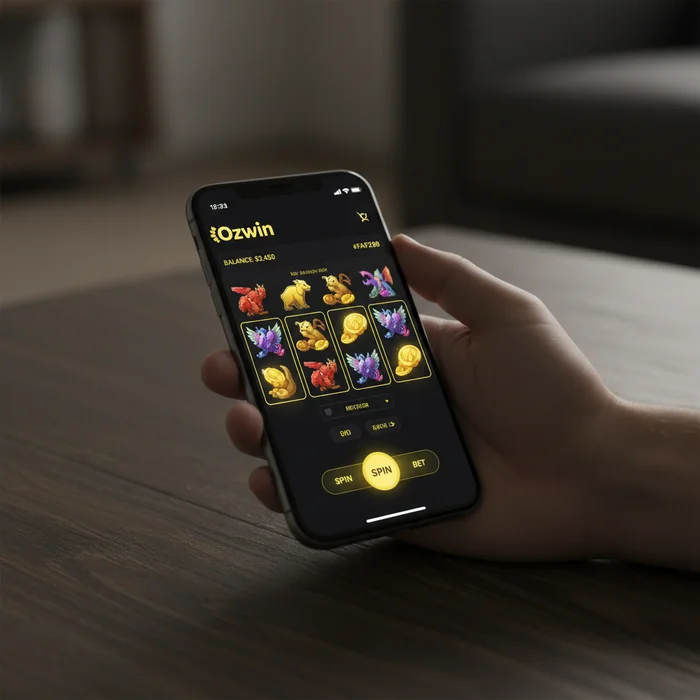
The Ozwin Casino mobile casino is built around one core idea: your loyalty progress, your cashback, and your VIP perks should follow you everywhere — not just when you're sitting at a desktop. Whether you're mid-commute or waiting between meetings, getting started is simple and the full platform is within reach from any modern smartphone.
Here's what we actually offer on mobile: the complete game library, all active promotions including our tiered cashback system (25% to 50% depending on your VIP level), and real-money banking — all accessible without downloading a native app. The truth is, most players don't need an app at all. The browser-based experience handles everything, and we've designed it to feel just as fluid as any installed application.
Is There a Dedicated Ozwin Casino App for iOS or Android
Let's cut through the noise on this one. There is no dedicated Ozwin Casino app available through the Apple App Store or Google Play Store. This is a deliberate choice — maintaining a native app through third-party storefronts introduces delays, approval restrictions, and version fragmentation that can affect your experience. Instead, we deliver a fully optimised mobile web platform that installs directly to your home screen.
For VIP players especially, this matters. Your account manager access, your daily bonus claims (up to 2 per day depending on tier), and your cashback dashboard are all accessible through the mobile browser without any version-update friction. You log in, and everything is exactly where you left it.
The absence of a native app does have one real limitation worth naming: push notifications require a browser-based workaround on some devices, and you won't receive automatic alerts the same way a native app would deliver them. If real-time bonus alerts are important to your play style, desktop remains the more reliable channel for that specific feature.
How to Access the Mobile Casino Through Your Browser
Accessing Ozwin's mobile platform takes under 30 seconds. Open Safari on iOS or Chrome on Android, navigate to the site, and the mobile-optimised layout loads automatically. No redirects, no separate URL — the platform detects your device and adjusts. From there, log in to your account or sign up as a new player directly through the mobile browser.
For returning VIP members, saving your login credentials in your browser's password manager makes re-entry instant. Your tier status, point balance, and any pending cashback are displayed on the dashboard immediately after login — no desktop required to track your loyalty progress.
Installing Ozwin Casino on Android: APK Download and Setup Steps
Android users have an additional option beyond the browser: an Ozwin Casino APK download that installs a shortcut-style wrapper directly onto your device. This gives you a near-native feel — a home screen icon, faster load initiation, and a slightly more contained browsing environment. It is not a full native application, but for players who prefer the installed-app experience, it's a practical middle ground.
Enabling Unknown Sources to Install the APK File
Because the Ozwin Casino Android APK is distributed outside the Google Play Store, your device needs permission to install files from sources other than the official app marketplace. The process varies slightly by Android version, but the core steps are consistent across most devices running Android 8.0 and above.
- Open your device Settings and navigate to Apps or Application Manager
- Find your browser (Chrome, Firefox, or whichever you used to download the file) and tap it
- Select Install Unknown Apps and toggle the permission to Allow
- Return to your downloads folder, tap the APK file, and confirm the installation prompt
Once installed, the icon appears on your home screen. You can immediately log in to your existing account or complete registration if you're new. The permission you granted applies only to that specific browser — it does not open your device to unrestricted third-party installations.
Minimum Android Version and Device Requirements
The platform runs on Android 6.0 (Marshmallow) or higher. Devices running Android 5.x or earlier will encounter rendering issues and are not supported. For smooth performance during live dealer sessions or high-frame-rate RTG slots, we recommend at least 3GB of RAM and a mid-range processor from 2019 or newer.
| Platform | Minimum Version | Access Method | Estimated Load Size |
|---|---|---|---|
| Android | Android 6.0+ | APK or Browser | ~18MB (APK wrapper) |
| iOS (iPhone) | iOS 13+ | Safari Browser / Home Screen Shortcut | No download required |
| Windows Mobile / Edge | Windows 10 Mobile | Browser only | No download required |
| Mobile Browser (any OS) | Chrome 80+ / Firefox 75+ | Instant browser play | No download required |
| Tablet (Android / iPad) | Android 7+ / iPadOS 13+ | Browser or APK | ~18MB (APK) or none |
Adding Ozwin Casino to Your iPhone Home Screen for Quick Access
For Ozwin Casino iOS users, the home screen shortcut is the closest equivalent to a native app — and it takes about 15 seconds to set up. There is no Ozwin Casino app in the App Store, but the Safari-based shortcut creates an icon that launches the mobile casino in full-screen mode, without browser navigation bars cluttering your view.
Step-by-Step Safari Shortcut Setup on iOS Devices
- Open Safari on your iPhone (this does not work in Chrome or Firefox on iOS)
- Navigate to the Ozwin mobile casino page and wait for it to fully load
- Tap the Share icon (the box with an upward arrow) at the bottom of the screen
- Scroll down in the share sheet and select "Add to Home Screen", then tap Add
The icon now sits on your home screen alongside your other apps. Tapping it opens the casino in a standalone browser window — no address bar, no tabs, just the platform. Your VIP dashboard, loyalty point balance, and any active bonus claims load exactly as they would on desktop.
Performance and Loading Speed on Apple Mobile Devices
On iPhone 12 and newer models, the mobile platform loads in approximately 3–5 seconds on a standard 4G connection. RTG slot titles — which make up the majority of the game library — are well-optimised for WebKit rendering and perform reliably on iOS 14 and above. Live dealer tables, which require sustained video streaming, perform best on Wi-Fi or a strong 5G signal.
Battery consumption is a genuine consideration for longer sessions. The platform's graphics engine is not as aggressively optimised as a native app would be, so extended play on older iPhones (iPhone X era and earlier) will draw battery faster than typical app usage. For VIP players who run longer sessions to accumulate points toward their next tier, keeping a charger nearby is practical advice, not a minor footnote.
Mobile Pokies and Bonuses Available on Smaller Screens
The full RTG (RealTime Gaming) library is available on mobile — this is not a reduced catalogue. Every pokie, table game, and specialty title that appears on desktop is accessible through the mobile browser or APK. For VIP players working toward daily bonus claims or cashback thresholds, the mobile platform does not create any gaps in your loyalty activity.
Which RTG Slot Titles Run Smoothly on Mobile
RTG's catalogue is built on Flash-free HTML5 architecture, which means virtually every title in the library renders correctly on modern mobile browsers. Titles with simpler visual structures — classic 3-reel pokies and standard 5-reel video slots — load fastest and are the most reliable choice on slower connections or older devices.
Three titles that consistently perform well on mobile screens: Bubble Bubble 2 (also featured in our 200% up to $2,000 + 50 free spins welcome offer), Achilles Deluxe, and Cleopatra's Gold. These titles have touch-optimised interfaces, clear button sizing, and load reliably even on 3G connections.
Where mobile does show a real limitation: multi-game views and certain 3D-intensive titles with complex animation layers can stutter on mid-range Android devices. If you're on a device with less than 3GB RAM, sticking to the standard video pokie catalogue rather than the more graphically demanding titles will give you a noticeably smoother session.
Claiming No Deposit Free Chips and Free Spins via Mobile
Every bonus available on our promotions page is fully claimable through mobile — there is no desktop-only restriction on any offer. This includes our no deposit bonuses: $10 to $50 free chips and free spin offers that new and existing players can claim without making a deposit first. The bonus redemption flow works through the mobile cashier, which is accessible from the account menu on any device.
Here's the math on our welcome offer so you know exactly what you're working with: the 400% match up to $4,000 across two deposits, combined with 60x wagering requirements, means a $100 deposit generating a $400 bonus requires $30,000 in total wagering before withdrawal. That's above the industry average of 35x–40x, and we'd rather you know that upfront than discover it mid-session. The cashback structure (25%–50% depending on VIP tier) partially offsets this, but it's a meaningful condition to factor into your play decisions.
- Log in through mobile browser or APK
- Navigate to the Cashier section from the account menu
- Enter your bonus code in the redemption field (codes are listed on the bonuses page)
- Minimum deposit of $20 applies to match deposit offers
- No deposit free chips require no payment — claim directly from the cashier
For VIP members, the 1–2 daily bonus claims available at higher tiers are just as accessible on mobile. Your account manager can be reached through the live chat function, which is fully functional on mobile screens and does not require a desktop session to initiate contact. If you're working toward a higher cashback tier and want to discuss your progress, that conversation can happen from your phone.
Ready to start? Create your Ozwin account directly from your mobile browser — the signup process takes under three minutes, and your first no deposit bonus can be claimed immediately after registration. The platform, the loyalty system, and the full game library are all waiting — and none of it requires a desktop to access. Ozwin Casino is built to go wherever you do.