













Ozwin Casino: Sign In, 2FA and Account Recovery
How to Log In to Your Ozwin Casino Account
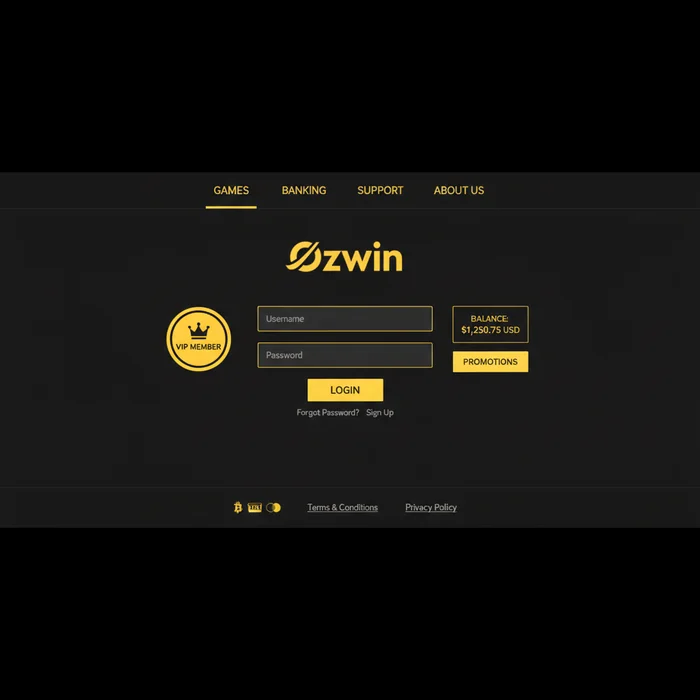
The Ozwin Casino login process is your gateway to everything we've built for you — from daily bonuses and cashback rewards up to 50%, to the VIP tier perks that set our most loyal players apart. Whether you're returning to claim a no deposit free chip or checking in on your loyalty point balance, getting back into your account should take under thirty seconds. Here's exactly how we've designed it.
The truth is, a smooth sign-in experience matters more than most players realise. A locked-out account means missed daily bonus windows, and at Ozwin Casino those windows are real — VIP members receive 1–2 exclusive daily bonuses that reset on a fixed schedule. Every minute counts when cashback is on the table.
Finding the Login Button on Desktop and Mobile Browser
Visit ozwinaucasino.com and look to the top-right corner of the page — the Login button is positioned prominently, in a contrasting colour so it's never buried beneath promotional banners. On a mobile browser the navigation collapses into a hamburger menu, but the login button remains pinned to the header bar independently, so you don't need to open the menu at all.
One detail worth knowing: if you arrive via a bonus link or a promotional redirect, the login button remains visible in the same position. We haven't moved it behind a pop-up or buried it in a sub-menu. Tap it once and the credential fields appear immediately — no intermediate landing page.
Entering Your Credentials and Accessing the Lobby
Enter the email address registered to your Ozwin Casino account and your password, then press Sign In. If your credentials are correct, you'll land directly in the lobby within a few seconds — your current loyalty tier, point balance, and any pending bonus offers are displayed on the dashboard immediately. No extra confirmation screen, no waiting room.
Players who have enabled Two-Factor Authentication will see a secondary prompt at this stage requesting a verification code from their authenticator app. Enter the six-digit code within the 30-second validity window and access is granted. If 2FA is not enabled on your account, you proceed straight to the lobby after the password step.
Forgot Password: Resetting Your Ozwin Casino Account Access
Losing access because of a forgotten password is the single most common reason players contact our support team — and it's entirely avoidable with the right recovery steps. Here's what we actually offer to get you back in without losing your loyalty progress, bonus balance, or VIP standing.
Using the Email Reset Link to Recover Your Password
On the login page, click the Forgot Password? link directly beneath the password field. Enter the email address associated with your Ozwin Casino account and submit the form. A password reset email is dispatched within 2–5 minutes under normal server load. The reset link inside that email is valid for 60 minutes — after which it expires and you'll need to request a new one.
- Click Forgot Password? on the sign-in page.
- Enter your registered email address and submit.
- Check your inbox — and your spam or junk folder — within 5 minutes.
- Click the link in the email, create a new password, and sign in immediately.
If the reset email hasn't arrived after 10 minutes, first confirm you've entered the correct email address — the one used during registration, not an alias or secondary address. If the address is correct and the email still hasn't arrived, contact our support team via live chat. They can verify your account identity and trigger a manual reset, typically resolved within 15–30 minutes.
Security Tips for Choosing a Strong New Password
When setting your new Ozwin Casino password, aim for a minimum of 12 characters combining uppercase letters, lowercase letters, numbers, and at least one symbol. Avoid dictionary words, your username, or any sequence that appears in your email address. A passphrase — three or four unrelated words joined by symbols — is both memorable and genuinely difficult to brute-force.
We recommend using a reputable password manager rather than reusing a password from another site. Credential stuffing attacks — where leaked passwords from unrelated breaches are tested against casino accounts — are a real threat. A unique password for your Ozwin Casino account is a straightforward defence that costs nothing.
Login Issues and Account Access Troubleshooting
Let's cut through the noise: most login failures fall into one of three categories — too many failed attempts triggering a temporary lock, a browser caching an outdated session, or a device-level conflict. Each has a specific fix. Here's the decision path we recommend before contacting support.
Why Your Account May Be Temporarily Locked
After 5 consecutive failed login attempts, your Ozwin Casino account enters a temporary lockout state as a fraud-prevention measure. This lockout lasts 15 minutes from the final failed attempt. You cannot bypass it by refreshing the page or using a different browser — the lock is applied at the account level, not the device level.
Once the 15-minute window has passed, you can attempt to sign in again. If you've forgotten your password, use the reset flow described above rather than continuing to guess — each incorrect attempt during the cooldown period resets the timer. For accounts that have been locked due to a suspected security event rather than simple mistyped passwords, our support team will need to verify your identity before restoring access. Expect a resolution time of 1–4 hours in those cases.
It's worth noting: a temporary lock does not affect your loyalty points, VIP tier, or pending cashback. Your account status is preserved in full — you're simply paused from logging in until the lock clears.
Clearing Cache and Cookies to Fix Login Errors
If your credentials are correct but the login page loops, throws an error, or fails to load the lobby, a corrupted browser cache is the most likely culprit. On Chrome or Edge, press Ctrl + Shift + Delete (Windows) or Cmd + Shift + Delete (Mac), select Cookies and other site data and Cached images and files, set the time range to All time, and clear. Then close and reopen the browser before attempting to log in again.
If clearing cache doesn't resolve the issue, try an incognito or private browsing window — this rules out browser extension conflicts, which are a surprisingly frequent cause of login failures on casino platforms. Ad blockers and certain VPN browser extensions have been known to interfere with session cookies. If the incognito window works, disable extensions one by one to identify the conflict.
| Login Method | Availability | Security Level |
|---|---|---|
| Email + Password | Desktop & Mobile Browser | Standard |
| Email + Password + 2FA | Desktop & Mobile Browser | High |
| Mobile Browser (saved credentials) | iOS & Android browsers | Standard |
| Biometric (device-level, via mobile browser) | Supported devices | High |
| One-tap (browser autofill) | Desktop & Mobile | Depends on device security |
Keeping Your Session Secure After Logging In
Signing in is step one. Keeping your session — and your account balance, bonus funds, and VIP status — protected is an ongoing responsibility we share with you. Here's what we've built on our end, and what we ask you to manage on yours.
How to Enable Two-Factor Authentication If Available
Two-Factor Authentication adds a second verification layer that makes unauthorised access significantly harder, even if your password is compromised. To enable it, navigate to your account security settings after logging in. You'll be prompted to scan a QR code using an authenticator app — Google Authenticator and Authy are both compatible. Once linked, every sign-in will require the current six-digit code from that app in addition to your password.
We strongly recommend enabling 2FA if you hold VIP status or carry a significant bonus balance. The additional 10 seconds it adds to each login is a worthwhile trade-off against the risk of account takeover. If you ever lose access to your 2FA device, contact our support team immediately — recovery requires identity verification and typically takes 2–8 hours to process.
Always Logging Out on Shared or Public Devices
If you've accessed your Ozwin Casino account on a shared computer — at a library, a friend's device, or a hotel business centre — logging out is not optional. An active session left open gives the next user full access to your account, including the ability to initiate withdrawals or change account details. Use the account menu in the top-right corner and select Log Out explicitly; closing the browser tab alone does not always terminate the session.
On your personal devices, the Remember Me option is convenient and reasonable to use — it stores an encrypted session token rather than your actual password. On any device you don't own or control exclusively, never tick that box. The few seconds saved are not worth the exposure. As our player, your account security is something we take seriously at the infrastructure level — but the final line of defence on a shared device is always your own logout habit.
Ready to get back in? Log in to your Ozwin account now and pick up exactly where you left off — your loyalty points, cashback balance, and any active bonuses are waiting. New to the platform? Create your Ozwin account and discover what a genuinely rewarding loyalty programme looks like from day one.